
How to use ZeTaX: your first CS2 clip, step by step
This guide in: English · Русский · Polski · Deutsch · Português
ZeTaX turns your CS2 matches into highlight clips and frag movies. You don't install anything and you don't record while you play: ZeTaX reads the match demo, finds your best rounds and records them for you. Here is the whole way from your first visit to your first clip, one short video per step.
- Sign in with Steam
- Add your matches
- Pick your highlights
- Choose your quality
- Download and share
- Make a frag movie
1Sign in with Steam
Press Sign in with Steam on zetax.gg. Steam only tells ZeTaX your public profile; your password stays with Steam. New accounts get 500 ZP free, enough for 10 highlight clips.
2Add your matches
Open Matches. Connect your Steam match history once and new Premier and Competitive matches arrive by themselves, or press Upload a demo for any .dem file. FACEIT matches come in with the free Chrome extension or as a .dem.zst upload.
3Pick your highlights
Open a match. ZeTaX lists your aces, clutches and multi-kills with the best first. Tick the rounds you want, choose the options, and press Render. A clip costs 50 ZP and is usually ready in about 3 minutes.
4Choose your quality
This is the same round recorded three ways. Every clip is 60 fps with the game sound; Premium adds Cinematic blur and 1440p. Open each one full size to see the difference.
Full HD at 60 fps with the game sound. Clean and sharp: what every new player gets.
Watch full sizeReal motion blur on every flick and fast turn, like a pro frag movie edit.
Watch full size78% more pixels than 1080p plus the cinematic blur. Every model, wall texture and tracer stays crisp, even on a big screen or after YouTube compresses it. The best ZeTaX can record.
Watch full sizeZoomed in on the same frame
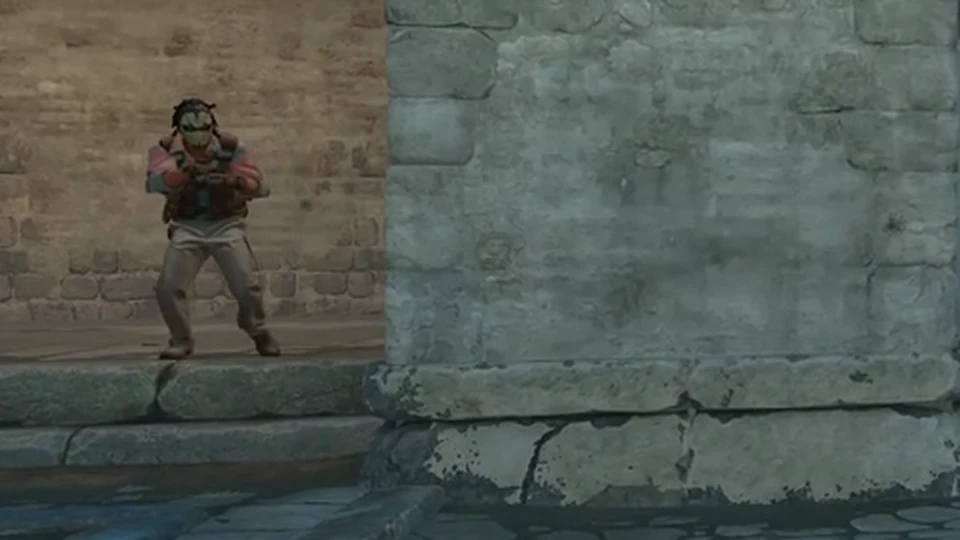
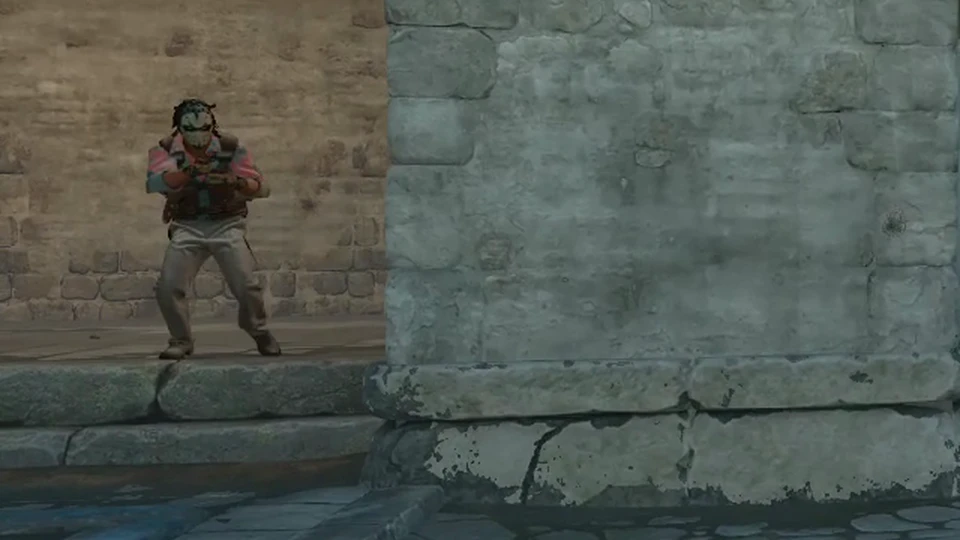
Same frame, same spot, enlarged 4 times, Cinematic blur off on both. 1440p keeps the brick edges, the wall cracks and the agent mask that 1080p smears.
5Download and share
Finished clips wait in Clips. Download them, share a link that plays anywhere, post them to TikTok or YouTube, or let your friends post them in Discord with the ZeTaX bot.
6Make a frag movie
Open Studio and press Quick movie. Your newest clips are already ticked: pick a style and ZeTaX cuts them to the beat of a track with transitions and effects. The preview is free.
Questions
Is ZeTaX free?
Signing in is free and new accounts get 500 ZP, enough for 10 clips. After that you buy ZP packs or get Premium, and the Daily Drop gives free ZP every day.
What does Premium add?
Cinematic blur on any clip at no extra ZP, 1440p clips at 100 ZP each, longer movies and more. See the Pricing page.
How long does a clip take?
About 3 minutes for a 1080p clip and about 10 for a batch of five. 1440p and Cinematic blur record at higher quality, so they usually take 8–20 minutes.
Do I need to install anything?
No. Everything runs in your browser and on ZeTaX servers.